

Photo: Anamul Rezwan / Pexels
Notes, Drive Back, Follow Up - the Old Process
A sunshade contracting company near Düsseldorf. About 30 employees - 10 in the office, 20 in the field. The company sells and installs awnings, blinds, and shutters - products with dozens of configuration options: model, dimensions, fabric, color, drive type, motor, installation details.
The old process: the field rep visits the customer, jots down measurements on a notepad, snaps photos on their phone, drives back to the office, and enters everything into the system. The quote is created manually and emailed - often days later.
The problems were predictable: customers waited, deals went cold, quotes were inconsistent because every rep had their own method, pricing errors from invalid combinations, and everything scattered across emails, local folders, and Excel spreadsheets.
The root causes were classic Lean waste types: unnecessary transport (driving back to the office), waiting (customer waits for the quote), rework (configuration errors), and unused creativity (field reps reduced to data collectors).
The Solution: Configure, Calculate, Sign - On Site
I built a Product Configurator App using Microsoft Power Apps that covers the entire process from quoting through to invoicing.
The Logic Tree
The core is a configurable logic tree that guides the field rep step by step: model → dimensions → fabric → color → drive type → motor → installation details. Rules prevent invalid combinations and wrong pricing. Measurements are entered once - the app calculates instantly.
Automatic Document Generation
Four documents are generated automatically from the configuration data:
Customer Quote - Professional PDF with all line items, prices, and options. Sent directly via Adobe Acrobat Sign for e-signature.
Order Confirmation - Created automatically once the customer accepts the quote.
Vendor Order Sheet - With the exact configuration, so the manufacturer can produce immediately. No back-and-forth, no misunderstandings.
Acceptance Protocol - After installation, handover is confirmed digitally on the tablet.
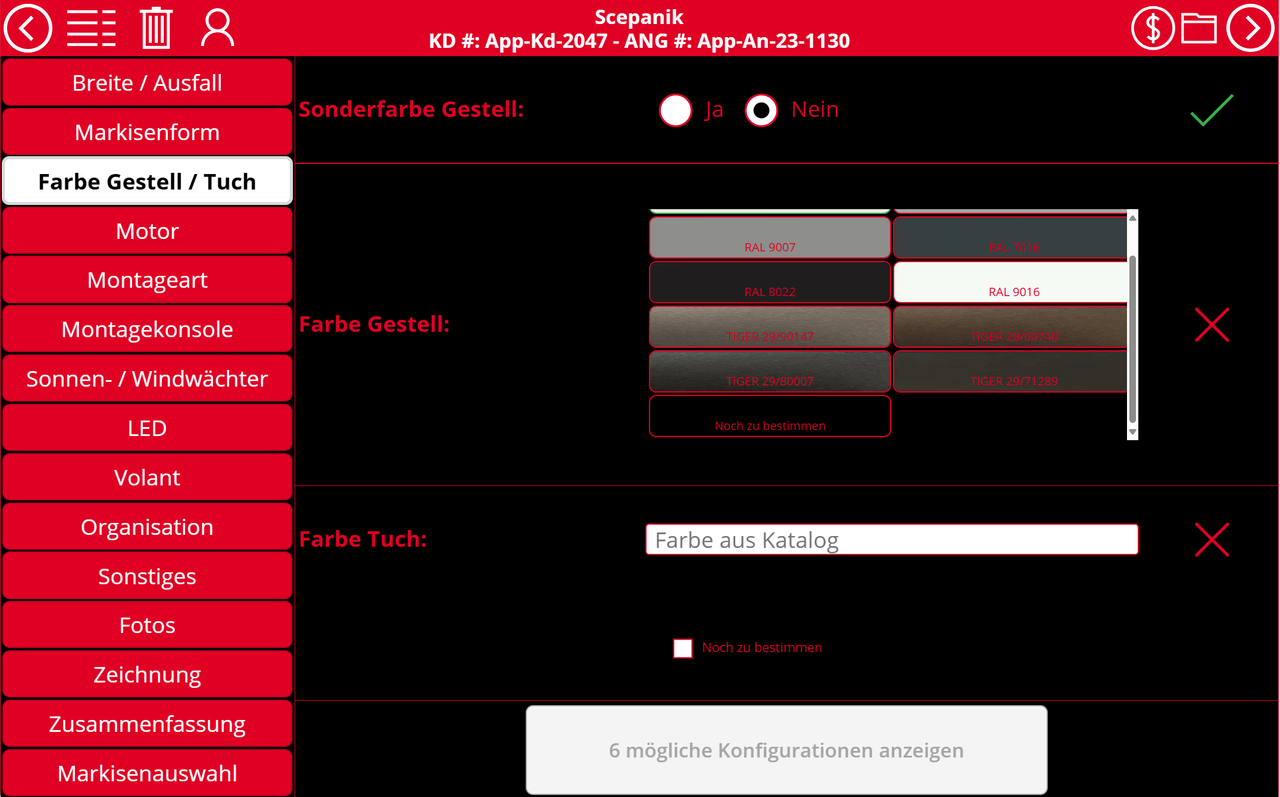 Figure: The configurator app guides field reps step by step through product selection, measurement entry, and price calculation
Seamless Document Filing
All generated documents and emails are automatically filed in SharePoint - structured by quote number, customer, and project. Crucially: not just sorted by filename, but with real metadata (customer, project number, product type, status, date). This makes the archive searchable and filterable.
Measuring Customer Satisfaction
After installation, an automated Microsoft Forms satisfaction survey is sent. Responses flow back into the system, enabling targeted follow-up with dissatisfied customers.
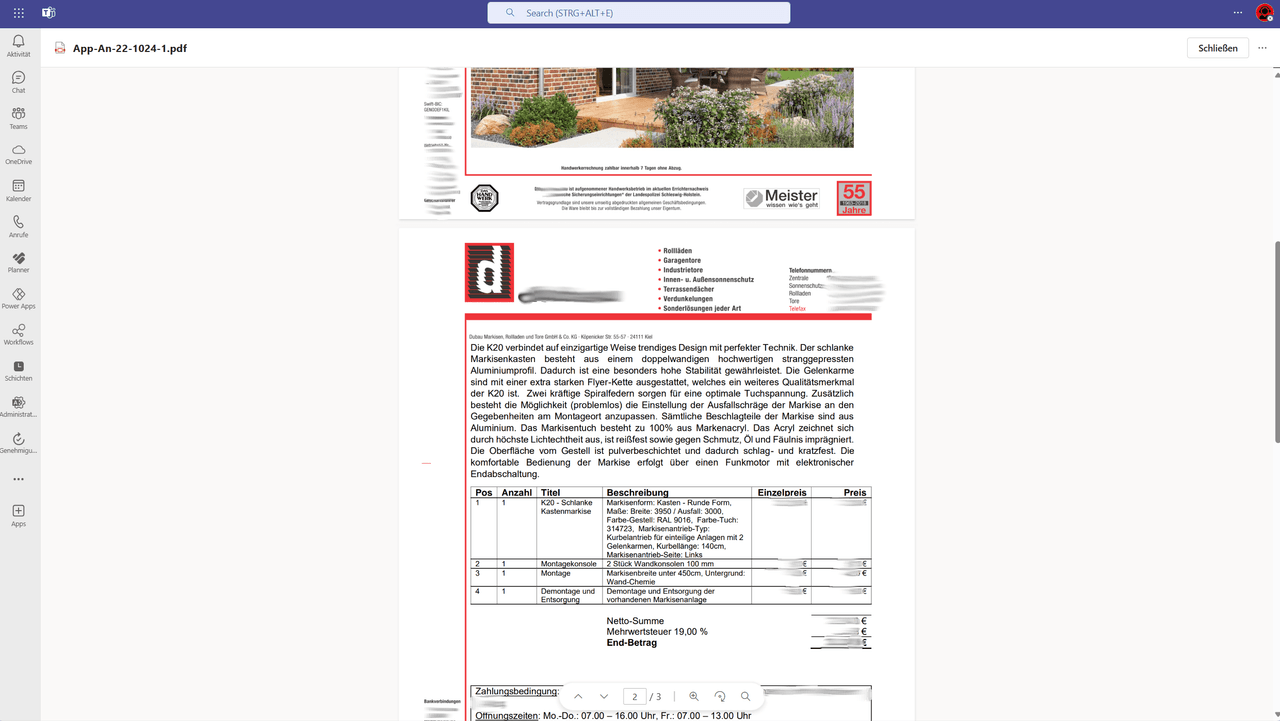 Figure: Automatically generated quote PDF - professional, error-free, and ready for e-signature
The End-to-End Process
- On-site visit - Field rep opens the app on a tablet, configures the product together with the customer
- Quote - PDF is generated automatically and sent via Adobe Sign for signature
- Order confirmation - After customer signature, the vendor order is triggered automatically
- Goods receipt - Delivery is scanned, storage location captured
- Installation planning - Planning team receives a task via Teams Approvals, installation documents print automatically
- Installation & handover - Digital acceptance protocol on the tablet
- Invoice - Outgoing invoice is created, approved, and sent
- Customer feedback - Automated satisfaction survey via Microsoft Forms
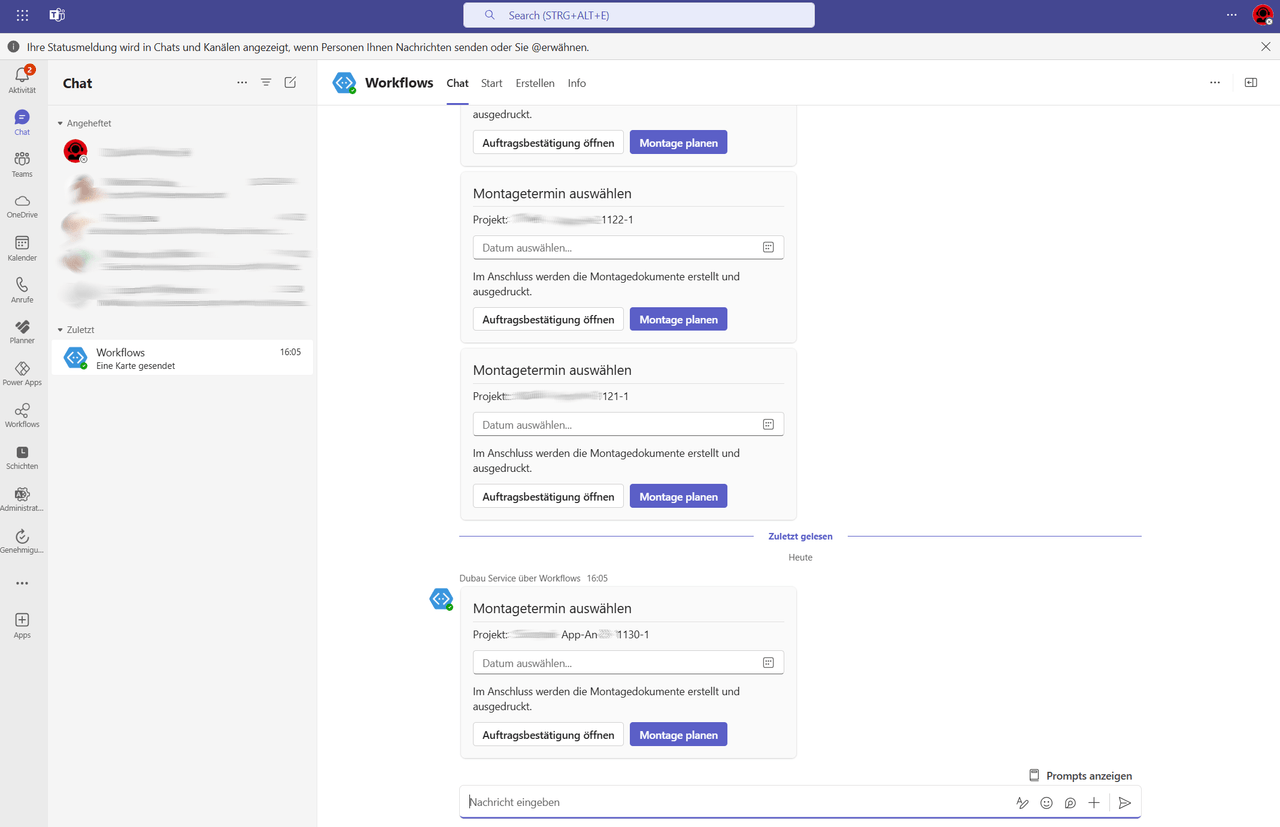 Figure: The team is automatically notified via Microsoft Teams about new quotes, orders, and approvals
Results
Quotes happen on site. Customers receive a professional offer immediately - no waiting, no follow-up calls. Conversion goes up, errors go down.
The back office stops retyping. No manual data entry, no correcting configuration errors. The app enforces valid inputs.
Vendors receive complete orders. Standardized order sheets instead of handwritten notes. Fewer queries, faster delivery.
Everything is in one place and easy to find. SharePoint with metadata instead of local folders. Any team member can check order status at any time.
New reporting capabilities - for the first time, the company can analyze quote and order histories that were previously invisible.
We took a similarly holistic approach with Power Apps and Dataverse for a renewable energy company managing 281 power plant projects - with a focus on document management and Power BI reporting. The DATEV export for outgoing invoices also follows the same principle: fully digital, no media breaks.
All Power Platform functions at a glance
Find the right expression - filter, search and copy with our Function Explorer.
Technology Stack
- Microsoft Power Apps - Canvas App for guided configuration and measurement entry
- Microsoft Dataverse - Product catalog, options, rules, and price lists
- Power Automate - PDF generation, Adobe Sign dispatch, status tracking, notifications
- SharePoint - Document storage with metadata taxonomy
- Microsoft Teams - Approvals and internal communication
- Adobe Acrobat Sign - Electronic signatures for quotes and acceptance protocols
- Microsoft Forms - Customer satisfaction survey
- DATEV - Outgoing invoice export
More Use Cases

Vacation Requests by Email? That's History.
How a trading company with 45 employees reduced vacation approval time from 3 days to 2 hours - using Power Apps, Power Automate, and Microsoft Teams. No additional software required.

End-to-End: From Quote to Invoice, Fully Automated
Real automation isn't about optimizing individual steps-it's about connecting your entire workflow. Discover how to build a seamless quote-to-invoice process that eliminates manual handoffs and data entry.

Invoice Approval with Power Automate: From 42 to 4 Hours per Month
A mid-sized company processed 340 incoming invoices per month manually via email. Power Automate cut processing time from 42 to 4 hours - at zero additional software cost.