

The Challenge: Manual Chaos in Recruitment
A mid-sized engineering firm with approximately 50 employees faced a common problem: they received around 50 applications per month but managed them entirely manually. Email inbox, desktop folders, text files with notes - the classic approach works fine with a handful of applications, but quickly becomes unmanageable at scale. The HR department didn't just spend excessive time on administration itself; they also couldn't maintain a real overview of where each candidate stood in the process.
The old workflow looked roughly like this: Application arrives via email, gets manually reviewed, files are stored in scattered folders, feedback is exchanged across various channels - Teams chat, email, handwritten notes. Response times to candidates stretched to 5 or 7 days, not because decisions took that long, but because information wasn't centrally available. Hiring for multiple positions simultaneously turned into chaos.
The Solution: Automation with Microsoft 365
The company decided to digitalize its recruitment process using standard Microsoft 365 tools: Microsoft Forms for intake, Power Automate for workflow automation, SharePoint as the central file system, and Teams for internal communication.
The New Recruitment Process in Detail
Everything starts with a publicly accessible Microsoft Forms form, linked from the careers page. Candidates fill in their basic information: name, email, phone, desired position, start date, salary expectations. The form is user-friendly and all key fields are required - incomplete applications never enter the pipeline.
Once a candidate submits the form, several things happen automatically and in parallel. The candidate receives an immediate confirmation message with further instructions. If needed, they get a personalized SharePoint upload link for larger files - video recordings, portfolio PDFs, presentations. This link is personalized and secure: only that specific candidate and the HR department can access it.
In parallel, SharePoint automatically creates a folder structure. Folders are organized by candidate name and then subdivided by position. This allows individual candidates to apply for multiple positions with each application remaining separately manageable, yet centrally accessible. A candidate applying for two positions gets one folder with two subfolders - clear and scalable.
Simultaneously, Power Automate fires a notification to the dedicated HR channel in Teams. This message contains direct links to the candidate's SharePoint folders, the form entry, and uploaded files. When ten new applications arrive each week, the HR team sees them immediately in Teams - no application gets lost in email inboxes.
The central hub is a SharePoint list that's automatically populated with each new form submission. This list has thoughtfully designed columns: position, name, email, status (received, in-progress, offer, rejected), rating, deadline for next contact, salary expectations, desired start date. HR staff can view and filter this list - by position, by status, by deadline. In a few clicks, you see: which candidates for the senior role are still pending? Who has received feedback from us? Who needs a call this week?
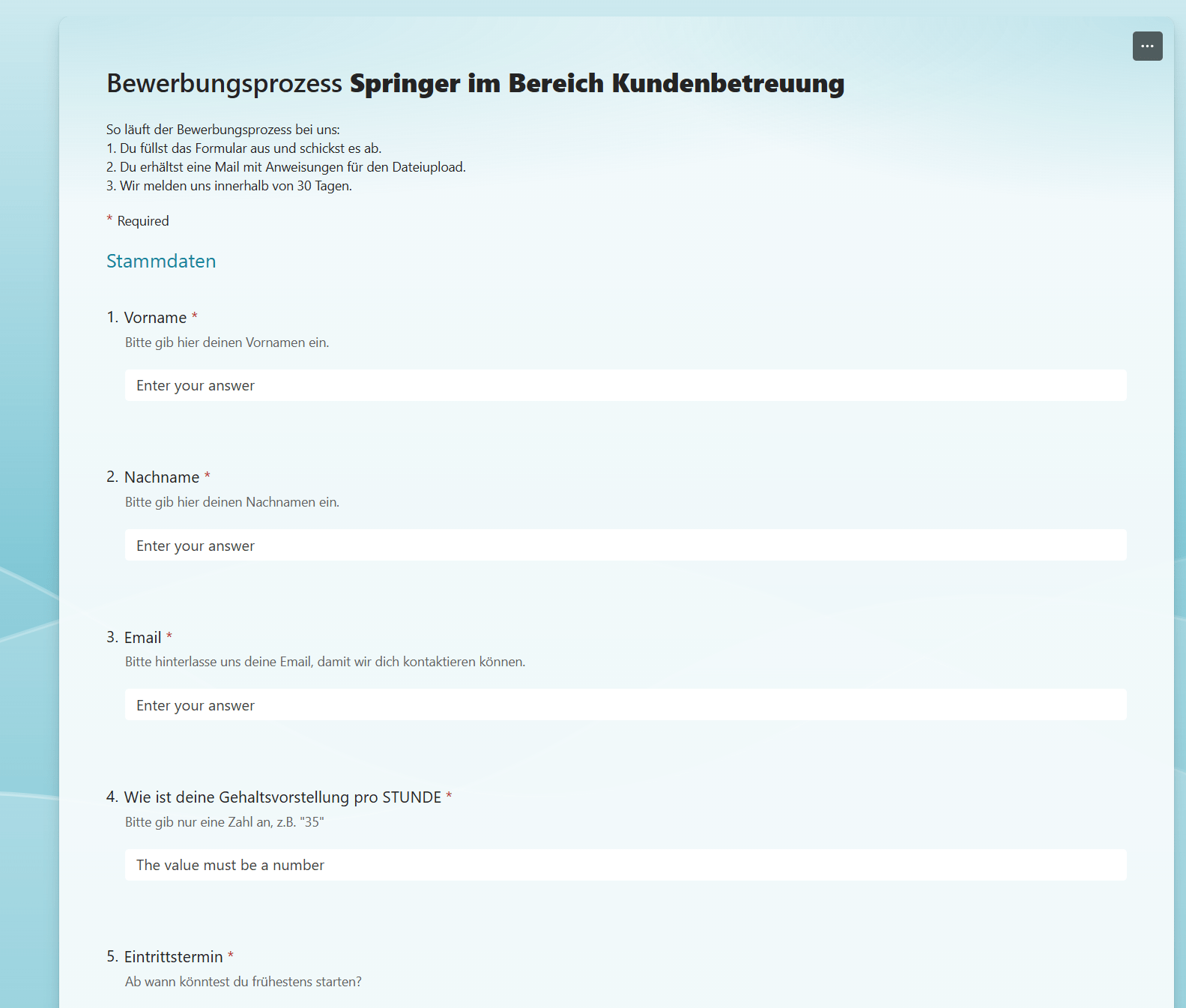 All application data lands automatically in a structured SharePoint list.
Security and Compliance
An important point: the Teams channel where applications are discussed is private and accessible only to HR personnel. The SharePoint folders for external file uploads are configured so that each candidate can only access their own folder - anonymization is built in. Personal data is not made public, GDPR requirements are met.
The solution also has backward-compatible flexibility: if a candidate applies for two positions, a subfolder is automatically created for each position. The process scales easily without HR constantly needing to intervene manually.
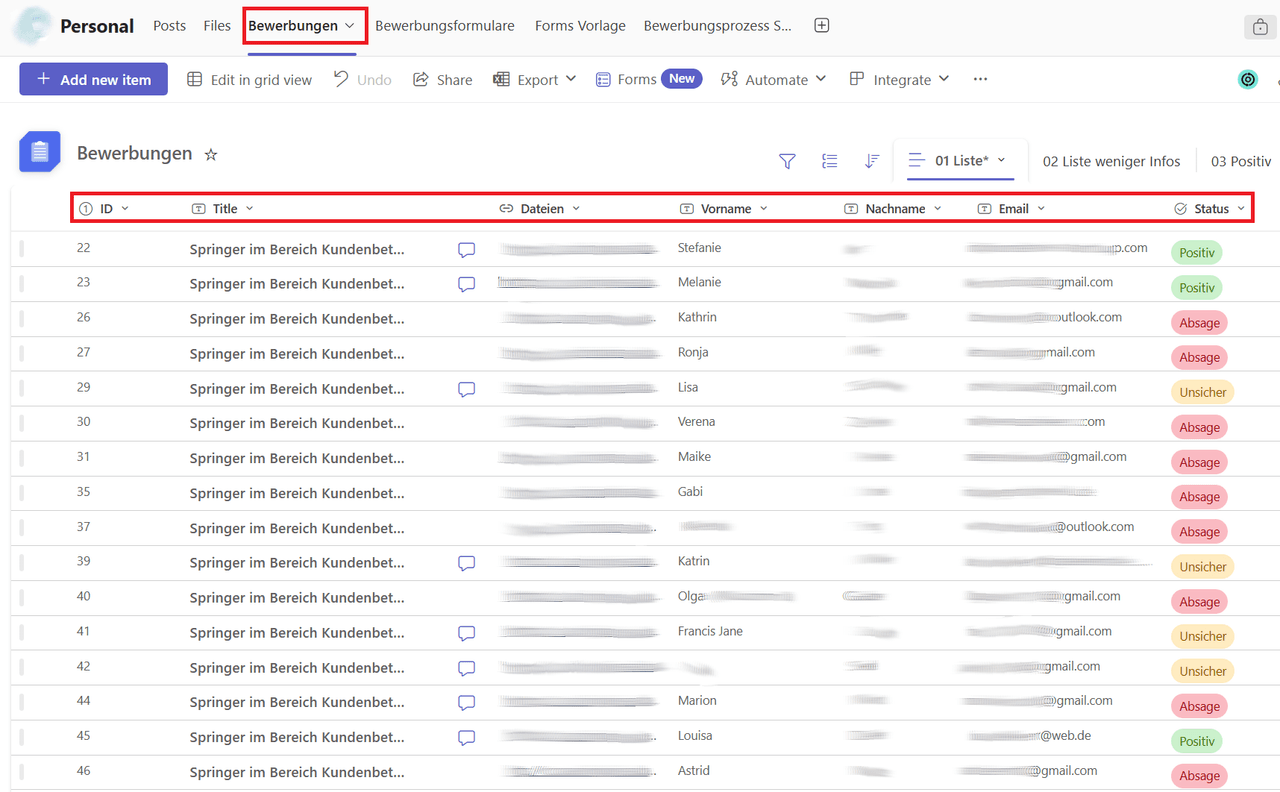 Central overview of all applications with filtering and sorting capabilities.
The Impact: Measurable Improvements
Implementation showed results quickly. Average response time to candidates dropped from 5-7 days to approximately 2 days. This isn't a minor process improvement - it's a dramatically improved candidate experience. In a competitive talent market, a fast feedback process can be the difference between landing top talent and losing them.
Operating costs fell by 40 percent. This sounds like a big number, but it's understandable: less manual data entry, no time-consuming file searches, no duplicate data entry. An HR employee who previously spent four hours per week managing applications could now do it in one hour. Freed-up time flows into actual HR work - conducting interviews, developing candidates.
Data quality improved substantially. Because all data is centralized and structured, there are no variants, no different versions of candidate information. There's one single source of truth. HR can generate reports, analyze recruiting trends - because the data is meaningful.
What does this process really cost you?
Calculate with our ROI calculator when automation pays off for you.
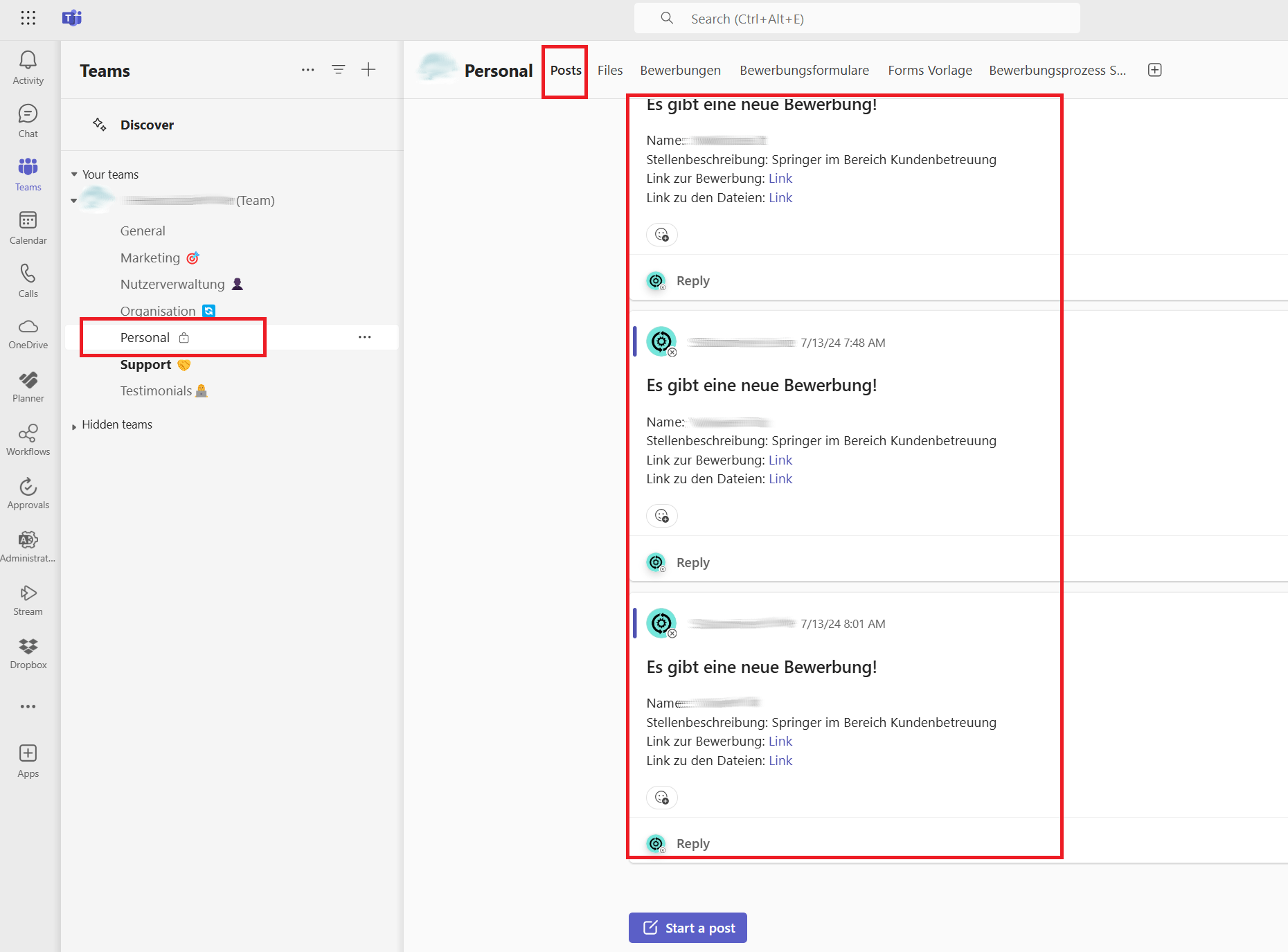 Automatic notifications in Teams keep the HR department updated in real time.
The Technical Stack
The solution was deliberately implemented with standard tools:
- Microsoft Forms for the application form (free, simple, responsive)
- Power Automate for process automation (folder creation, notifications, data synchronization)
- SharePoint Online for centralized file storage and as the data foundation for Forms integration
- Microsoft Teams for internal communication and notifications
- Microsoft Lists (or a standard SharePoint list) as the central tracking view
The system could theoretically be more complex - but elegance lies in simplicity. It requires no additional software, no licensing costs for external recruiting tools. Everything runs on Microsoft 365, which the company already uses.
The fact that no database programming was needed, and everything could be handled through low-code automation, makes the solution maintainable and future-proof. An IT employee with Power Automate knowledge can implement updates without hiring an external developer.
Key Takeaways
What this project demonstrates: many HR processes fail not because of technology, but because of organizational fragmentation. The old system wasn't technically broken - it was organizationally scattered. Forms, SharePoint, and Power Automate were the right tools because they made it simple to bring all information to one place.
A second lesson: automation should be transparent to the end user (in this case, candidates). The process feels faster and more professional because candidates receive automatic updates. This is also recruitment marketing.
A third lesson: documentation works better when it's built into the automation. The HR list is simultaneously documentation and workspace. You don't need to maintain a separate logging system.
This project shows that not every automation needs to be large and complex. Sometimes the best solution is an intelligent connection of existing tools.
The recruitment process is just one part of the employee lifecycle. Using the same approach, we also automate vacation management with Power Apps and IT onboarding with Intune Autopilot - all entirely on M365.
More Use Cases

Invoice Approval in Microsoft Teams - From Physical Folder to Digital Collaboration Hub
How a trade company fully integrated invoice approval into Microsoft Teams and eliminated Skonto losses.

Digital Invoice Approval for Trade Companies
How a 30-person trade company shifted from physical invoice folders to digital workflows using Microsoft 365.

Dog Training App with Power Apps
How we built a mobile-first dog training management app for a startup using Microsoft Power Apps - enabling trainers to scale their business without custom development.